
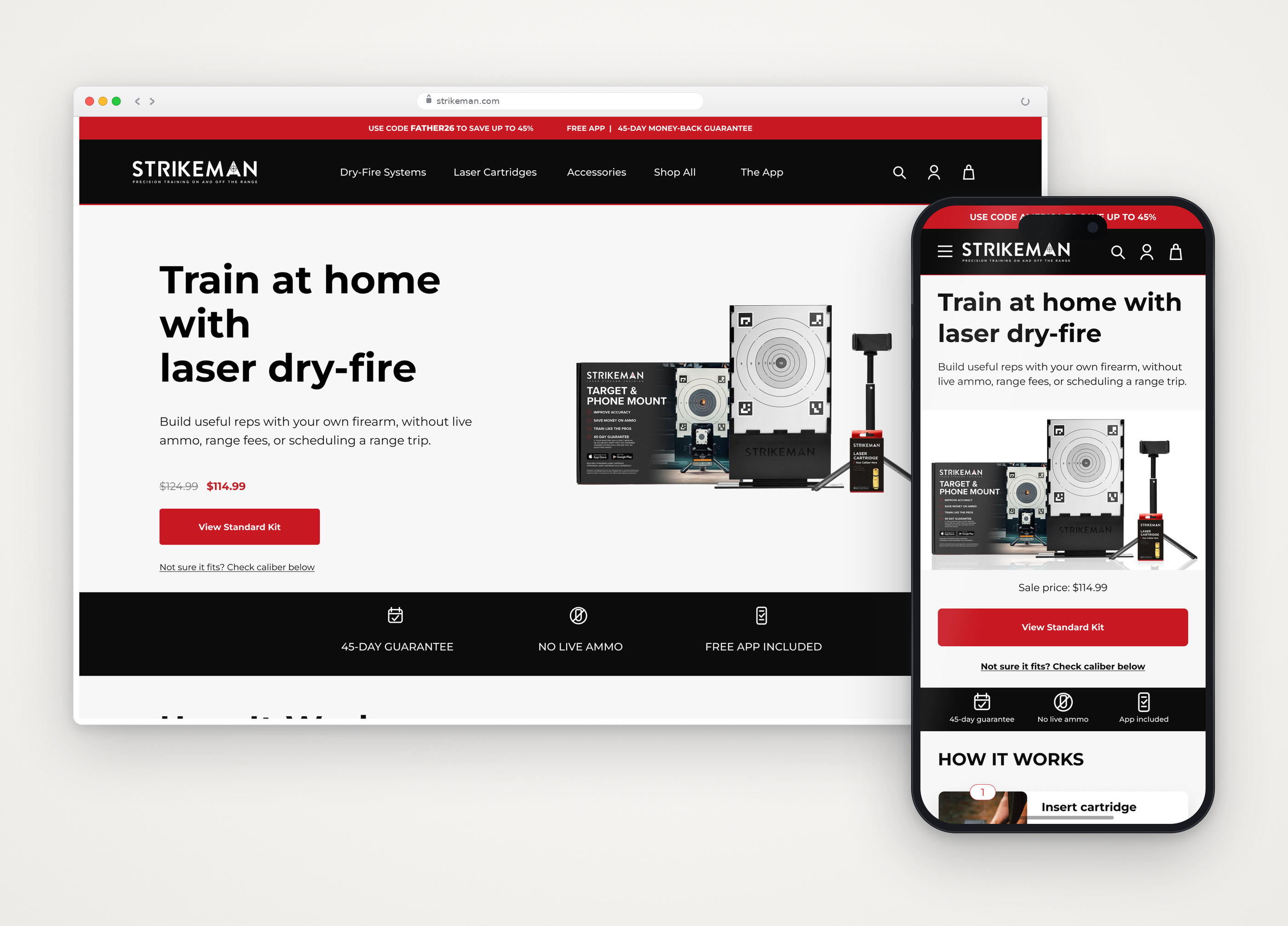
Turn an unfamiliar product into a confident purchase
Strikeman is a laser-based dry-fire training system that combines physical equipment, a mobile app, and an e-commerce experience.
Customers needed to understand the system, choose a compatible kit, and trust the final price. Scattered information and competing calls to action made that journey harder on mobile.
With 80% of website revenue coming from mobile, I focused the design on the phone experience first, then carefully adapted the hierarchy, content, and interactions across tablet and desktop breakpoints.
The challenge: replace purchase hesitation with clear guidance from discovery through checkout.
Lead the experience from strategy through implementation
I owned research, design decisions, implementation, and QA, with marketing as my core collaborator.
- Business direction
- CEO initiated the redesign to improve conversion.
- My ownership
- Research → information architecture → UX/UI → build.
- Team alignment
- I reviewed major decisions with marketing before implementation.
One tradeoff: cart transparency
I secured clearer visibility of discounts, shipping-protection costs, and the final total. The team retained opt-out protection and declined a proactive promo-code reminder. I made the charge and removal option visible within those constraints.
Focus research on the highest-value journey
| Usability finding | Design response |
|---|---|
| Users hesitated over caliber selection. | Compatibility guidance and kit comparison. |
| How the system worked was unclear, including inserting the laser cartridge into the firearm. | Step-by-step homepage education. |
| When asked to find help, users reached different resources because videos, articles, FAQs, and contact options were not grouped under one clear destination. They felt they had to dig through the site and still could not tell whether they had found all available help. | A Customer Support Hub with one hierarchy for every help resource, plus a Support category in the main navigation for direct access. |
Study context and source
All 10 participants in the updated synthesis added a product to the cart; three had problems reviewing it or continuing toward checkout. The initial study included 18 participants.
Turn evidence into four focused design moves
01 · Homepage
Build the product story around customer questions
I made product education part of the purchase flow. Step-by-step guidance explains the system, while compatibility and comparison tools help customers choose a kit.
Compare with the previous homepage
Promotional content competed with product education.


Value, education, compatibility, and comparison form one path.


Live mobile flow
Guide customers from uncertainty to a compatible kit
The live homepage introduces how the system works, then helps customers choose a firearm type and caliber. The result recommends compatible kits while preserving important caliber exceptions.
02 · Product page
Answer purchase questions at the decision point
I brought the kit, price, reviews, caliber selection, guarantee, and primary action into a more readable sequence. A persistent action kept the purchase path available without separating customers from supporting education.
Compare with the previous product page
Information and actions were scattered through a long mobile page.


Purchase information stays organized around the decision.


Live mobile flow
Keep guidance and purchase access together
Selecting a caliber reveals specific recommendations and warnings at the decision point. The fixed Add to Cart action remains available while customers review that guidance.
03 · Cart
Use reassurance to protect purchase momentum
I made discounts, shipping-protection costs, and the final total easier to scan. Customers could review and remove protection before checkout, while the business retained its default selection.


04 · Customer support
Give customers a clear place to find help
The previous support experience contained useful how-to videos, blog articles, FAQs, and contact options, but it lacked the visual hierarchy and shared structure customers needed to browse with confidence. During usability testing, people landed on different resources and still felt unsure whether they had found all the help available.
I led the creation of a centralized Customer Support Hub, defined its information architecture, reorganized the how-to video experience, and brought Blog, How-to videos, FAQs, and Contact support into one clear path. I also added Support to the website’s main navigation so assistance for setup, returns, warranty, and product questions was no longer buried.
The storefront hosted videos while FAQs opened in a separate help center, making the complete support offering difficult to understand.
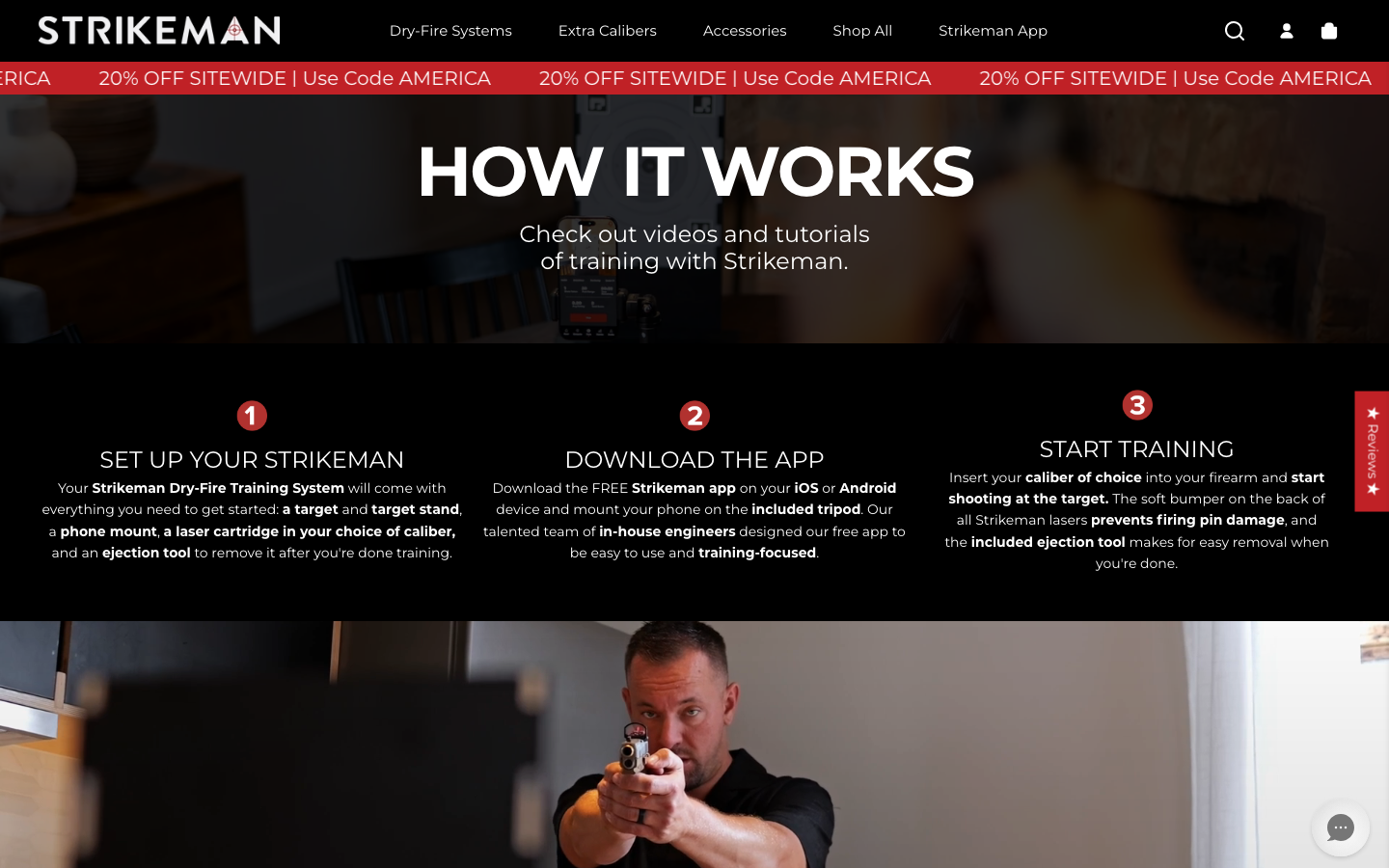
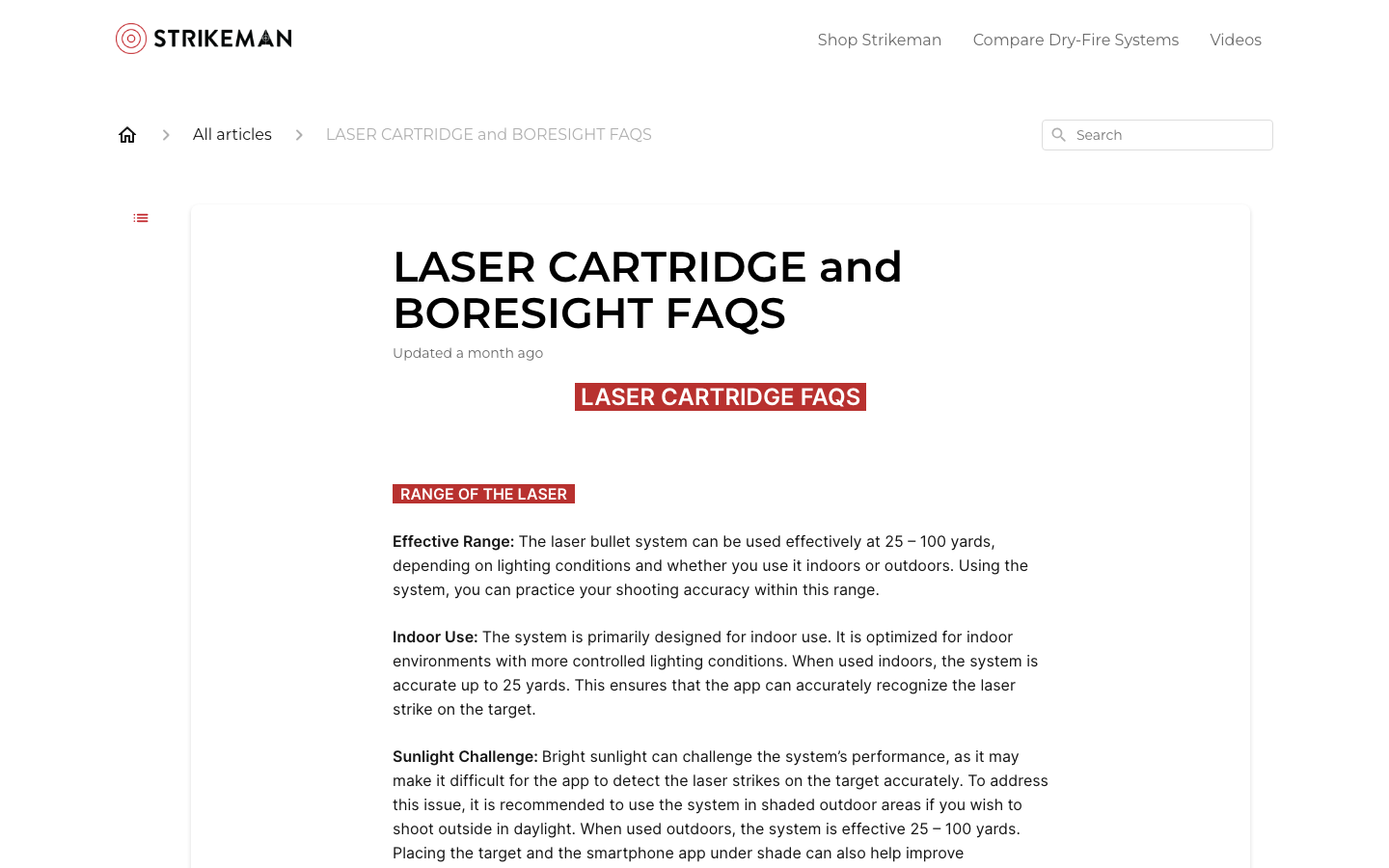
A visible Support destination brings direct assistance, order help, returns, troubleshooting, and self-service resources into one hierarchy.
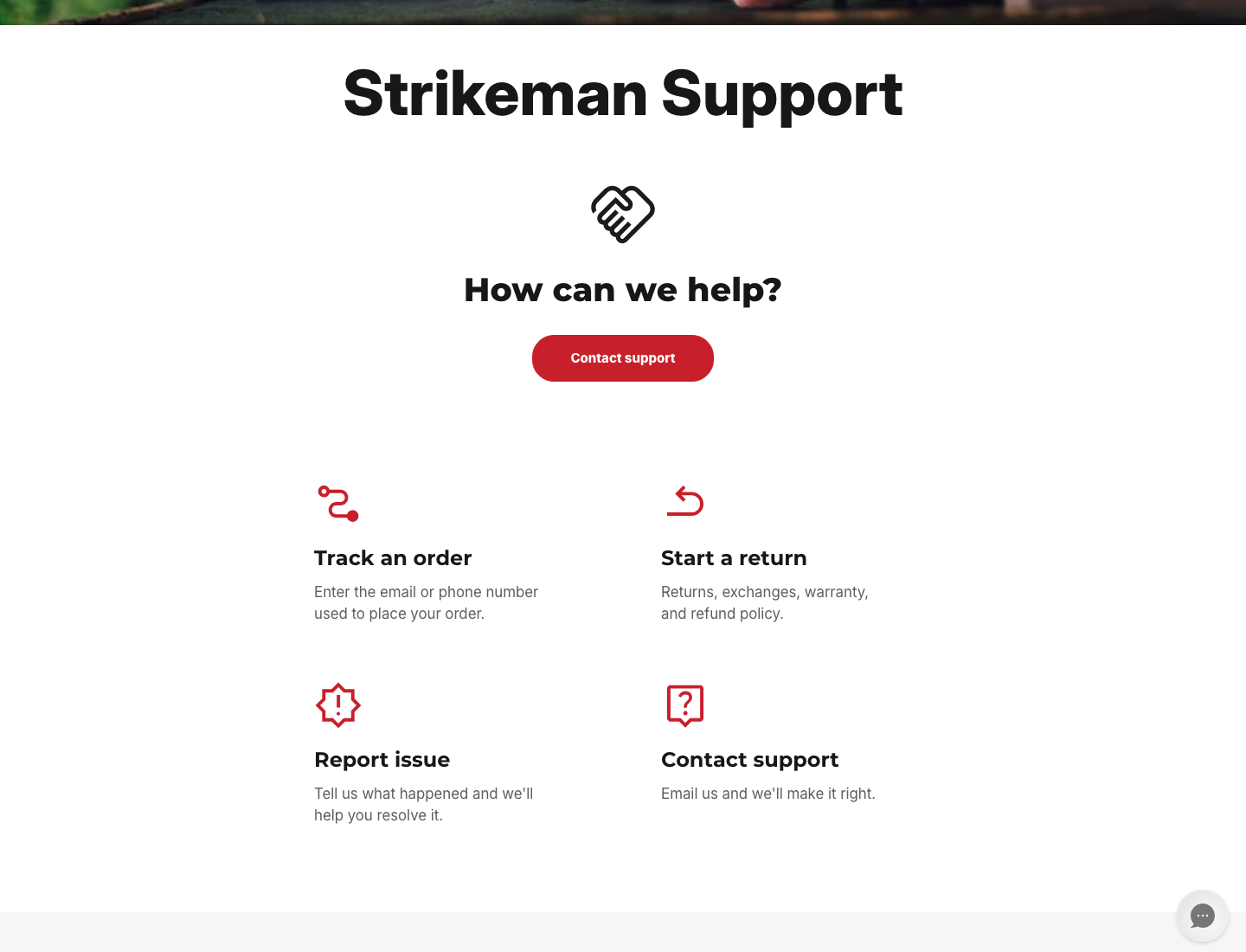
- BlogArticles and education
- How-to videosProduct use and setup
- FAQsCommon questions
- Contact supportReturns, warranty, assistance
Combined email, contact-form, Help Center, and chat tickets fell after the new Support Hub and redesigned How-to Videos page launched.
This is an encouraging post-launch result across the measured channels.Improve purchase momentum and keep learning
Strongest conversion signal · Kit comparison
44%of comparison-chart interactors added a product to their cart: 15 additions from 34 interactions. Twenty-eight of those users also clicked through to a product.
Next iteration: improve the step from compatibility results to Add to Cart, and strengthen purchase attribution.
Funnel details and lessons
The comparison chart had 1,034 viewers and 34 interactors; 28 clicked a product and 15 added one to the cart. Compatibility usage was broader, but only nine add-to-cart events were recorded after tool use.
Cart recommendations attracted 49 clicks and seven additions from 238 viewers. Order-level revenue attribution is not yet available. The next measurement pass should distinguish engagement from completed purchases.
Build measurement into the project from day one
Designing in Figma and using Codex to build and launch the site gave me end-to-end ownership of the experience, from the first design decisions through implementation.
One thing I missed was analytics. A few weeks after launch, I took on the work to instrument key UX features, including the compatibility tool and kit comparison, so I could see whether customers used them and what they did next.
The new data made the experience measurable, but it also showed me that instrumentation belongs in the project plan before launch. If I were starting again, I would define event tracking, a baseline, and success measures alongside the designs, then verify the events before release. That would make it easier to connect interaction with downstream actions and evaluate changes with stronger evidence.
What I’d do differently: treat analytics as part of the product experience and implementation scope, not as a follow-up task after launch.